PyCase for MyCase: Indiana court records, the retro way
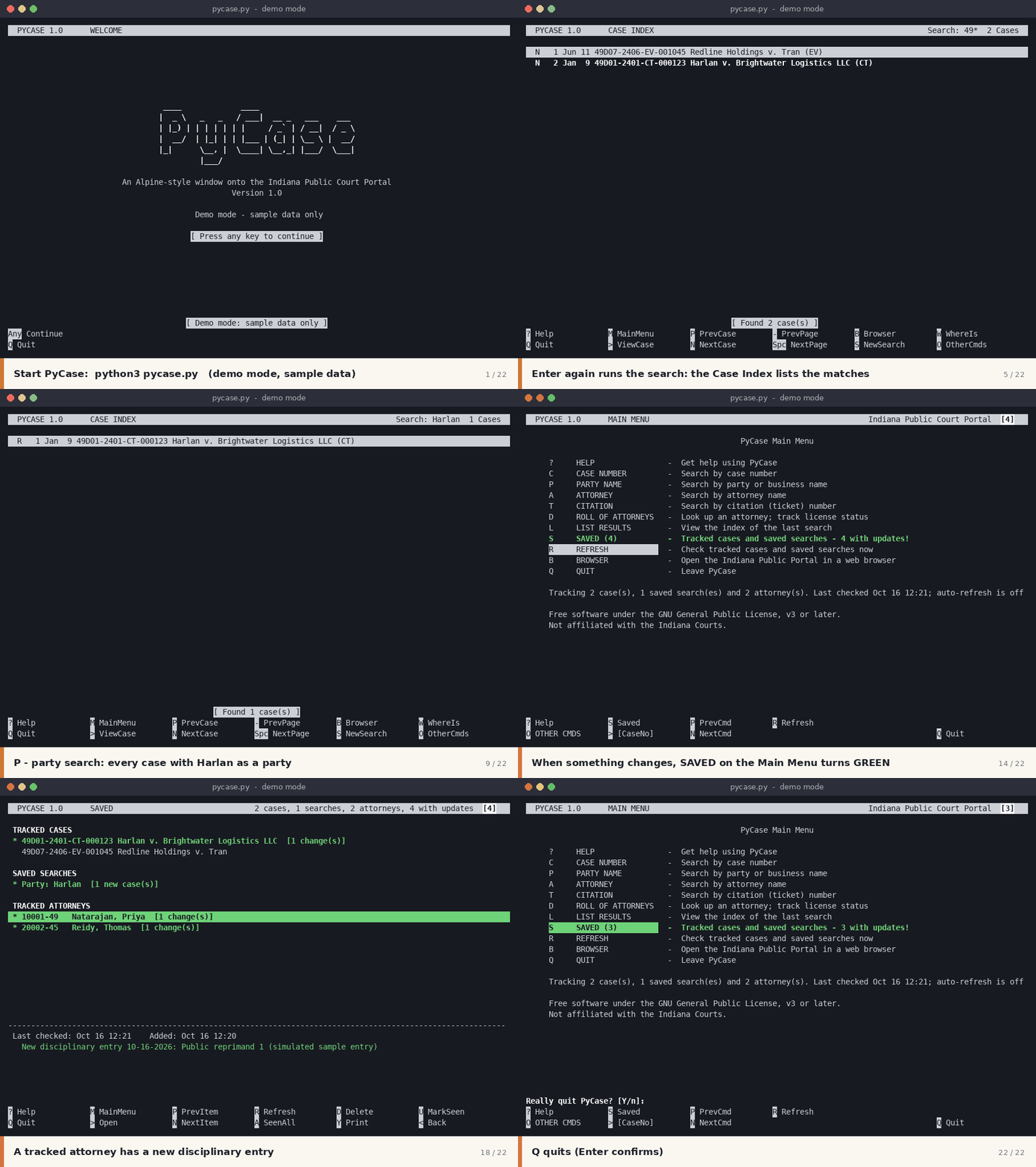
PyCase is a keyboard-driven, text-based front end for the Indiana Public Court Portal. If you’ve used the PINE email programs like many of us IU alumni, you’ll feel nostalgic. Searches work like composing a message, results appear in an index like a mail folder, and each case opens like a message you can page through.
With PyCase you can:
- Search by case number, party or business name, attorney, or citation number. Wildcards are supported, and you can type a county name to fill in its case-number prefix.
- Read cases in one scrollable view: parties, addresses, attorneys, charges, fees, and the chronological case summary. Warrant cases are highlighted in red.
- Track cases and saved searches. PyCase checks them in the background and flags new entries, status changes, and newly filed matching cases.
- Look up attorneys on the Indiana Roll of Attorneys and watch their license status and disciplinary history.
- Print any case, result list, or attorney record to a plain text file.
PyCase is a single Python file that needs only the standard library. It runs in any terminal on Linux, and possibly macOS or Windows. A built-in demo mode with fictional sample data lets you try every feature without connecting to the portal. It paces its requests to go easy on the court’s servers, and it never answers CAPTCHAs.
PyCase is free software under the GNU GPL v3 or later. It is not affiliated with the Indiana Courts.
Interested in trying PyCase? Get in touch through email and let me know about yourself. I’ll be glad to help you get started.